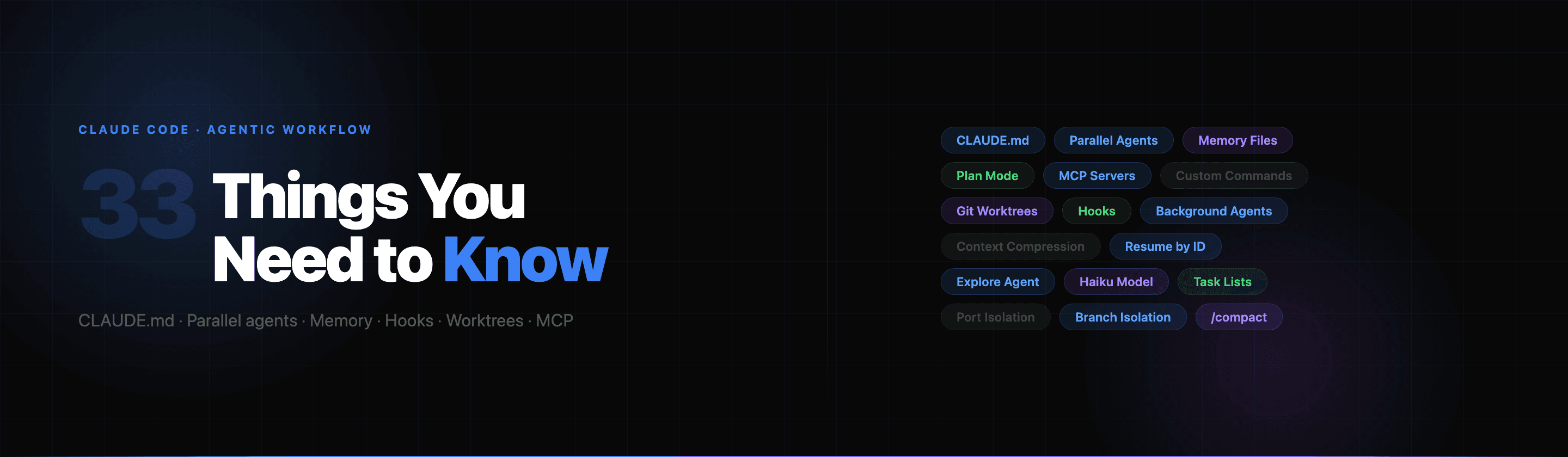
33 Things You Need to Know to Better Use Claude Code's Agentic Workflow
Bunlong Heng
March 3, 2026
Claude Code isn't just a smarter autocomplete. It's a programmable agent that reads your codebase, runs commands, manages files, and coordinates subtasks — all from a terminal. But most people use maybe 20% of what it can do.
Here are 33 things that change how you work with it.
1. CLAUDE.md is your permanent context
Drop a CLAUDE.md file at the root of any project and Claude reads it at the start of every session — automatically. Use it to document architecture decisions, banned patterns, preferred libraries, naming conventions, and anything else that would take five minutes to re-explain.
Think of it as the onboarding doc you write once and never have to repeat.
2. CLAUDE.md is hierarchical
You can have a global ~/.claude/CLAUDE.md for rules that apply everywhere, a project-level /project/CLAUDE.md, and even subdirectory-level files like /project/frontend/CLAUDE.md. Claude merges them all, with more specific files taking precedence.
This means your "always use bun" preference lives globally while your project-specific database schema lives locally.
3. Plan mode prevents wasted effort
Before tackling anything non-trivial, Claude can enter a planning phase where it explores the codebase and writes out an approach for your approval before touching a single file. This catches misaligned assumptions early.
The /plan command (or EnterPlanMode in the agent) shifts Claude into exploration-first mode. You approve the plan, then work begins.
4. Parallel subagents are real and fast
The Task tool lets Claude spawn specialized subagents that run concurrently. If you need to search three different parts of the codebase, Claude can fire three Explore agents in parallel rather than doing them sequentially.
This is the difference between 30 seconds and 90 seconds on a large codebase search.
5. There are named subagent types with different toolsets
Not all subagents are equal. Claude Code ships with typed subagents:
- Bash — runs shell commands, handles git operations
- Explore — searches and reads files without writing (safe for exploration)
- Plan — architects approaches without modifying anything
- general-purpose — full access, all tools
Pick the right one. Explore agents are cheaper and faster for read-only work.
6. Background agents free up your main context
Subagents can run in the background with run_in_background: true. Claude kicks them off, keeps working on other things, and checks the output file when it needs the results. No blocking.
Useful when you have a long validation step that doesn't need to complete before the next part of the task can start.
7. Agents can be resumed by ID
Every agent invocation returns an ID. You can resume that agent with its full prior context intact — it picks up exactly where it left off. This is how Claude handles multi-step work across large codebases without losing state.
8. Worktrees give each session an isolated copy
The isolation: "worktree" parameter on a Task call creates a temporary git worktree — an isolated copy of the repo on its own branch. The agent works there without touching your working tree. If nothing changes, the worktree is cleaned up automatically. If it does change, you get back the branch path.
Safe experimentation with zero cleanup overhead.
9. EnterWorktree puts your whole session in isolation
Beyond subagents, your entire interactive session can live in a worktree. Run EnterWorktree (or ask Claude to "work in a worktree") and the session switches into an isolated branch. Good for risky refactors you're not sure you want to keep.
10. Memory files persist across sessions
Claude has a per-project memory directory at ~/.claude/projects/<project-slug>/memory/. The MEMORY.md file there is loaded at the start of every session. Claude can write to it and read from it across separate conversations.
This is how Claude "remembers" that you prefer kebab-case filenames or that a particular API endpoint is deprecated — without you having to repeat it.
11. Memory is topical, not chronological
Good memory files are organized by topic (patterns.md, debugging.md, architecture.md) with MEMORY.md linking to them. Claude knows to update entries in place rather than appending — so memory stays concise, not bloated.
12. Custom slash commands are just Markdown files
Drop a .md file in ~/.claude/commands/ and it becomes a /command you can invoke. The file content is expanded as the full prompt when you run it. This is how you create project-specific shortcuts like /deploy, /review-migration, or /generate-types.
Skills can also accept arguments — reference them with $ARGUMENTS in the file.
13. Project-level commands override global ones
Put command files in .claude/commands/ inside your repo and they're available only in that project, scoped appropriately. Share them with the team by committing the directory.
14. MCP servers extend what Claude can access
Model Context Protocol servers give Claude access to tools beyond what ships by default — databases, internal APIs, third-party services, design files, Slack. Configure them in ~/.claude/claude_mcp_config.json and they're available in every session.
One MCP server for your database schema means Claude always has accurate table definitions without you pasting them in.
15. Hooks automate reaction to Claude's actions
Hooks are shell commands that fire on agent events: PreToolUse, PostToolUse, Stop, Notification. Use them to:
- Auto-run lint after every file write
- Log every bash command Claude runs
- Send a desktop notification when a long task finishes
- Block certain risky commands outright
Define them in ~/.claude/settings.json under the hooks key.
16. Permission modes change what needs approval
Claude operates in one of several permission modes that control which tool calls need your confirmation. Tight mode prompts for every bash command. Permissive mode lets Claude run freely. You can tune this per project in settings — or tell Claude your preference in CLAUDE.md.
17. Reading before editing is non-negotiable
Claude won't (or shouldn't) edit a file it hasn't read. The Edit tool requires prior file content to perform exact-string replacement — there's no "just overwrite it" mode. This forces Claude to see what's actually there before changing it, catching conflicts before they happen.
18. Parallel tool calls are the default for independent work
When Claude has two things to look up that don't depend on each other, it fires both tool calls in the same response rather than sequentially. This is intentional — it's how the agent keeps latency low. A good session flows like: explore in parallel, synthesize, act in sequence.
19. The Explore agent protects your main context window
Exploration subagents run their searches in a separate context. When they return, you get back a summary — not the raw file dumps. This keeps your main conversation window from filling up with irrelevant code while still answering broad questions like "how does auth work in this codebase?"
20. Context compression happens automatically
As conversations grow long, Claude compresses older turns to free up space. Recent messages stay verbatim; earlier context is summarized. You won't notice it happening, but it means very long sessions don't hit a hard wall — they just become slightly less precise about details from the distant past.
21. /compact forces a manual compression
If you feel the context getting bloated with long tool outputs, /compact manually compresses earlier turns right now. Useful before starting a new major phase of work so Claude's attention is on the current state, not a pile of intermediate steps.
22. Dedicated tools beat Bash for file operations
The agent has Read, Write, Edit, Grep, and Glob tools. These are faster, safer, and show up clearly in the audit trail. Using Bash with cat or grep works but bypasses the tool display — you lose visibility into exactly what was read or changed.
Use Bash for things that actually need shell execution: starting servers, running test suites, git operations.
23. Grep supports full regex and file type filtering
The Grep tool wraps ripgrep. You get full regex, --type filters (search only TypeScript files), glob patterns, context lines (-C 3), and multiline matching. It's not a simple string search — treat it like rg.
24. Task lists keep complex work from going sideways
For multi-step tasks, Claude can maintain a structured task list with statuses (pending, in_progress, completed), dependencies (blockedBy), and rich descriptions. This is what prevents Claude from losing track of what's been done and what's left when a task has 10 moving parts.
25. The haiku model is available for cheap subtasks
When spawning subagents, you can specify model: "haiku" for lightweight, fast, cheap tasks — searching a file, checking a format, generating a short summary. Save the full model for synthesis and generation. This keeps costs down on long agentic sessions.
26. You can ask Claude to explain its reasoning before acting
A pattern that works well: "Before making any changes, explain your approach and the files you'll touch." This is a manual version of plan mode and surfaces wrong assumptions before any files are modified.
27. Exact-string edit requires unique matches
The Edit tool fails if your old_string appears more than once in the file. This is by design — ambiguous edits are dangerous. If you need to change all instances, use replace_all: true. If you need to change one, add more surrounding context to make it unique.
28. Subagent task descriptions should be self-contained
When Claude spawns a subagent, it writes a prompt for that agent. Subagents don't share your conversation history by default. The description needs to include all necessary context — file paths, goals, constraints — rather than assuming the agent knows what you were just discussing.
29. Git branch isolation prevents session conflicts
If you run multiple Claude sessions on the same repo simultaneously, they'll conflict unless each session works on its own branch. The pattern: at session start, create session/YYYYMMDD-HHmmss, commit everything there, merge when done.
This is especially critical if you're using Claude in multiple terminal tabs.
30. Port isolation prevents dev server conflicts
Same principle for dev servers — detect the next free port starting from 3000 and pin the entire session to that port. Hard-code the detection command in your global CLAUDE.md so Claude does it automatically on every new session.
31. Keybindings are fully customizable
Your ~/.claude/keybindings.json controls every keyboard shortcut in the TUI. You can remap submit, cancel, history navigation, and more — including chord bindings (two-key sequences). The /keybindings-help skill walks you through the options.
32. Claude won't push code without your confirmation
By default, git push requires explicit user approval even in permissive mode. This is intentional — pushing affects shared state beyond your local machine. Same for creating PRs, sending Slack messages, or posting to external services. The confirmation prompt is a safety net, not a bug.
33. The real unlock is composing all of this together
The gap between a power user and a casual user isn't knowing any single one of these features. It's using them in combination: CLAUDE.md sets the foundation, memory builds up institutional knowledge, hooks automate repetitive checks, worktrees keep risky work isolated, parallel subagents compress exploration time, and custom commands turn repeated workflows into one-liners.
The agent gets dramatically more useful the more deliberately you configure its environment.
If there's one thing to start with: write a CLAUDE.md. Even five lines of project context compounds into hours saved over a month of daily use.
Comments
Be the first to leave a comment.
Related Posts